techonc Panel.
A server management panel with a built-in AI layer whose safety boundaries are drawn in code, not in prompts.
No public demo: the panel manages an entire server, including a fully privileged shell. The screenshots below come from an isolated installation.Problem
Server management demands SSH, scattered commands and memorized invocations; off-the-shelf panels are either limited or hand the AI blind power — one wrong command can take everything down.
Solution
Everything in one interface: live metrics, Docker, databases, logs, network and security. The built-in AI assistant doesn't just answer questions — it performs installs; yet every action is classified server-side: reads run freely, reversible actions pass a policy gate, destructive actions always require explicit human approval.
Outcome
Saying 'set up a WordPress' is enough: the AI presents a plan, then deploys with Docker + SSL and produces a handover document. Every step lands in an immutable audit log.
Modules
■ Overview
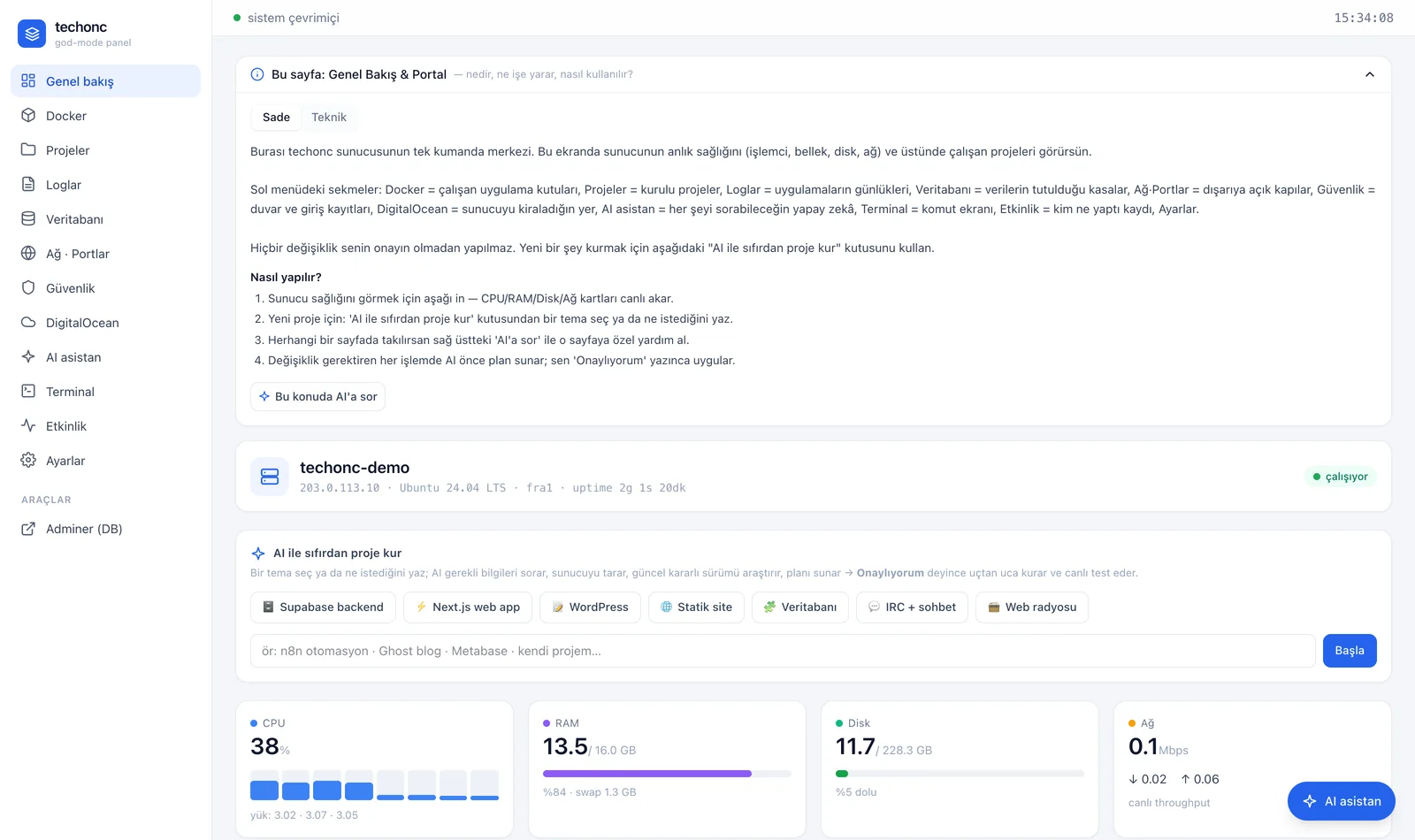
Live CPU/RAM/disk/network gauges refreshed every 2 seconds, plus the 'set up a project with AI' wizard.
■ Docker
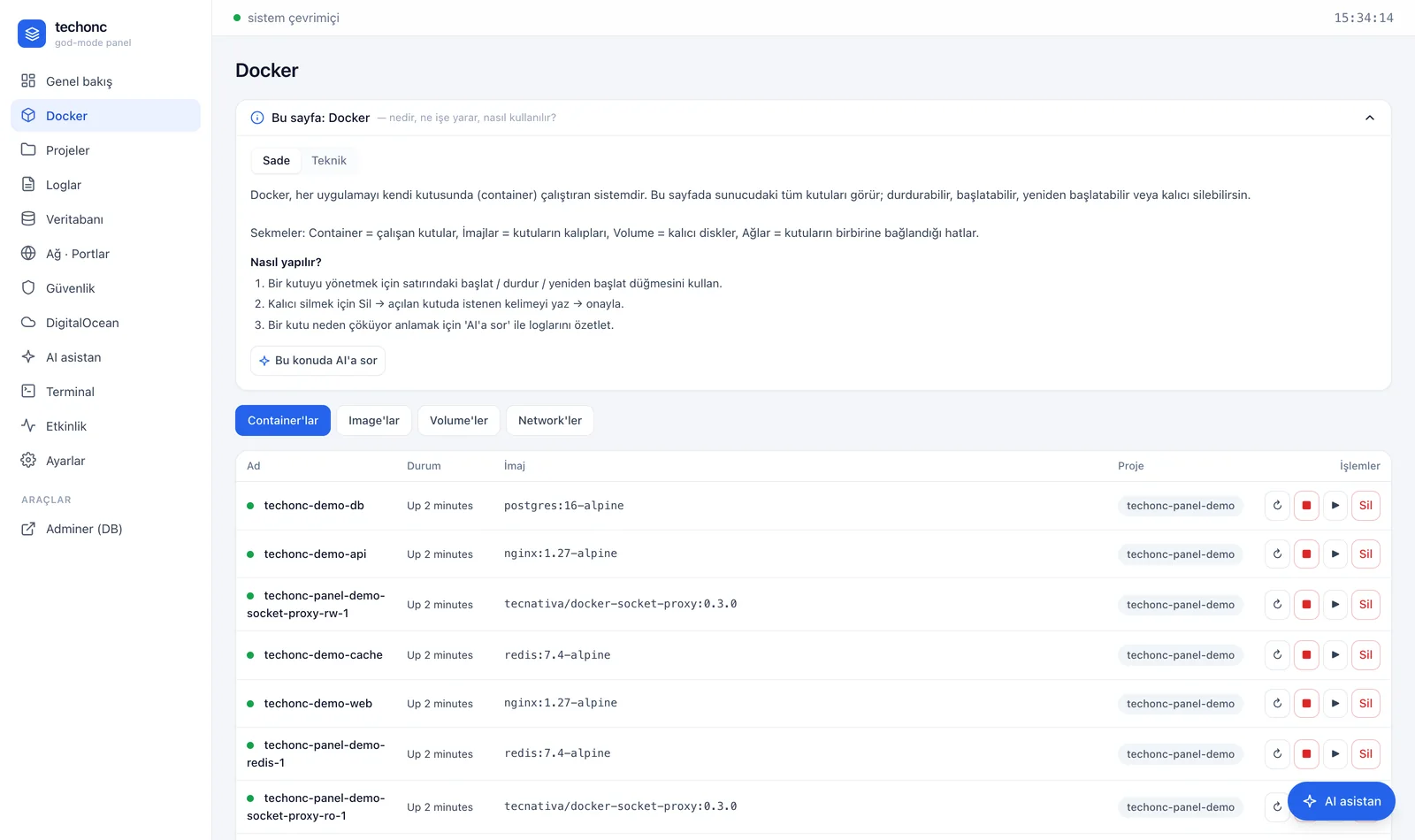
Containers, images, volumes and networks; permanent deletion gated by a typed confirmation.
■ Projects
Services grouped by compose label; live resource use, domains, SSL expiry and the handover document.
■ Logs
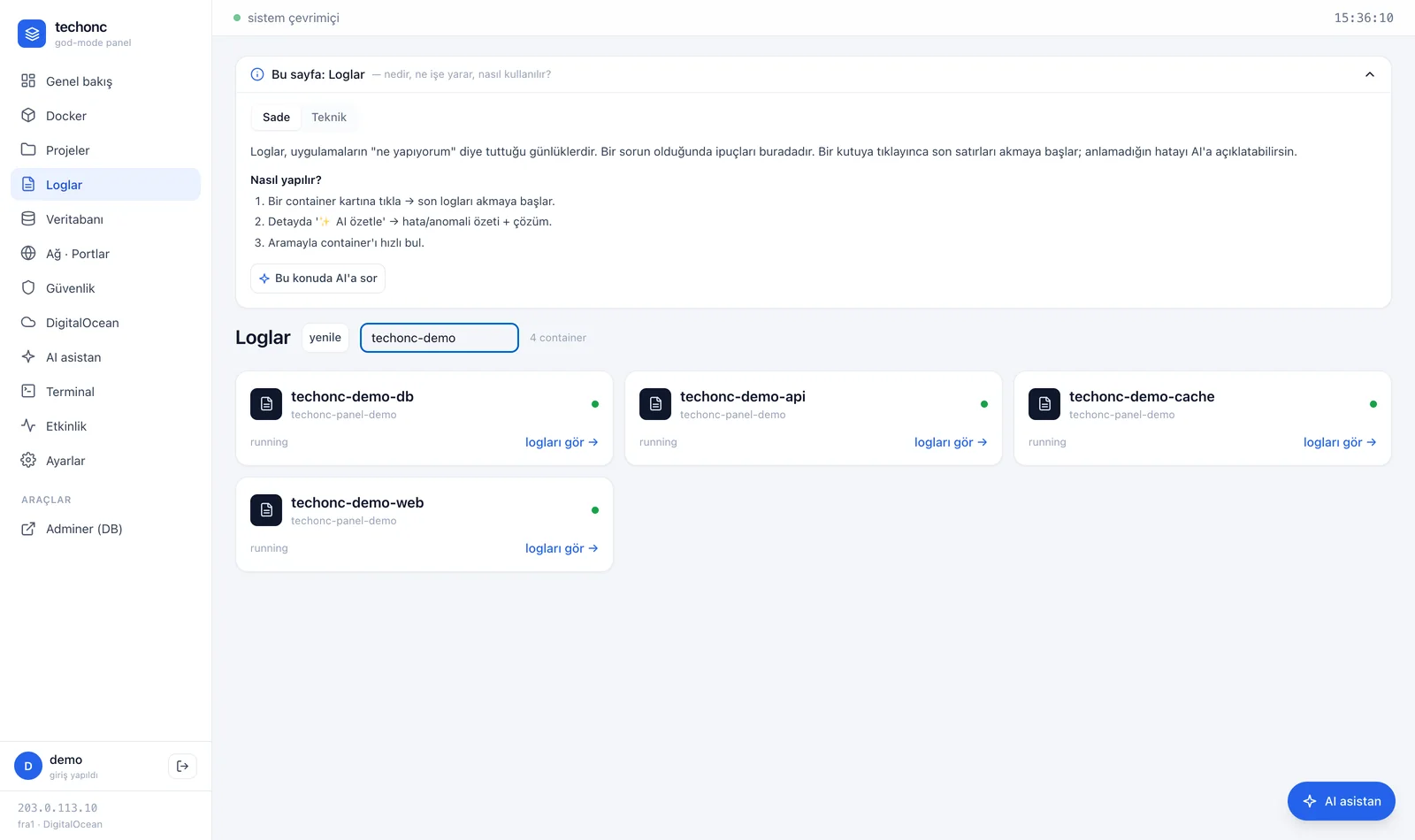
Container logs with one-click AI summaries.
■ Database
Auto-discovery, a read-only SQL console, ask-the-AI text-to-SQL and backup listing.
■ Network · Ports
Traefik routers/services, TLS certificate info and an open-port map.
■ Security
Firewall, fail2ban, active sessions and pending updates — read-only via a narrowly scoped helper.
■ Cloud Provider
Read-only view of servers, DNS, snapshots and billing.
■ AI Assistant
Full-page chat with per-user session history and a model-tier selector (Fast / Smartest).
■ Terminal
A real PTY web terminal; each user logs in with their own account, every session is audited.
■ Activity
The append-only audit log: every AI and admin action with actor, tool and outcome.
■ Settings
Integration status panel — secret values never return to the UI.
ARTIFICIAL INTELLIGENCE
Where AI comes in
A gated tool loop
Every AI tool call is classified server-side: reads run automatically, reversible actions hit a policy gate, destructive actions always require the user to type an explicit approval in that turn. The decision logic lives in server code, not in the model.
No raw bash: 15 typed tools
Fourteen of the AI's tools are read-only and run freely; the single destructive tool is a fully privileged shell that runs only after the user explicitly approves it in that turn, with its plan shown and written to the audit log. The raw shell is never available unsupervised; 14 read-only typed tools (list containers, read logs, read-only queries...) run freely. The single destructive tool runs only after approval, through a narrowly scoped helper, and must present a plan (command/impact/risk/rollback) first.
Zero-to-live setup wizard
7 templates (Supabase, Next.js, WordPress, static site, database, IRC, web radio) or a free-form request: the AI checks the domain, verifies current stable versions via web search, presents a plan, then deploys with Docker + Traefik + SSL and writes a handover document.
AI web designer with sandboxed preview
For projects with a frontend, the AI produces a responsive design; the panel renders it in a sandboxed iframe with desktop/tablet/mobile switching. The user iterates by typing until they approve.
Text-to-SQL — the database draws the line
SQL generated from natural language runs inside a genuine READ ONLY transaction on the server: writes are made impossible by the database engine itself, not by a prompt.
AI log summaries
Any container's recent logs go to the model with one click; errors and notable lines come back as a bulleted summary.
Web-search verification
For version and security questions the AI verifies against official sources with built-in search — it never recommends versions from memory.
Screenshots
Key capabilities
A real web terminal
A genuine login shell (PTY) in the browser: per-user accounts, interactive programs like vim/htop work, every session is audited.
Live telemetry
Metrics every 2 seconds and Docker events streamed over a single self-healing SSE channel.
Plain / Technical dual guides
Every page carries a guide card written twice — plain language for non-technical users, precise language for experts — plus an 'ask the AI' shortcut.
Database auto-discovery
The panel discovers databases from containers and joins their Docker network to make them queryable — DSNs live only in memory.
Handover document pipeline
The AI writes a single-file handover document for every install, viewable and downloadable from the project page.
Turkish-first experience
UI, AI status messages, guides and approval dialogs are fully in Turkish.
In development
Auto-remediation
AI-proposed fixes for detected issues, within the approval framework.
Snapshot before destructive actions
Automatic snapshot/dump triggers before approved destructive operations.
Embedded monitoring integration
Full in-panel integration of metric and log tooling.
ADAPTATION
How it changes in another organisation
Panel is installed for an organisation's own servers; the services to watch, alert thresholds and intervention permissions are defined around that infrastructure. Rather than replacing the monitoring tools already in use, it can be positioned to run alongside them.
TECHNICAL DEEP DIVE
STACK
ENGINEERING NOTES
The raw Docker socket is never mounted
The backend never sees the Docker socket: a read-only proxy carries all monitoring, a write-scoped second proxy carries only approved start/stop/restart. EXEC is disabled on both — a terminal backdoor is blocked by keeping EXEC disabled on both socket-proxy endpoints.
A 6-command Go allowlist
A small Go helper listens on a unix socket and accepts exactly 6 read-only commands with fixed arguments — no user args, no shell. A separate, time-limited endpoint exists for human-approved long operations.
The secret:// reference pattern
AI tools carry references instead of real secrets; values resolve only at execution time and never enter prompts, messages or audit records.
Immutable audit log
Every proposal, execution and refusal is append-only: actor, tool, redacted input, outcome and timestamp.
Layered defense
The panel sits behind an authentication layer (Authelia); the backend runs non-root, internal traffic flows on isolated Docker networks, and user data lives in path-traversal-proof directories.
Prompt-cache-aware instruction design
The system instruction is a frozen prefix that lands in the model's implicit cache; variable context (user, page, date) is deliberately injected into the user message so the cache never breaks.