techonc Portal.
A corporate intranet platform that brings an organisation's entire internal operation under one roof.
Live Demo →Problem
Announcements lived in email, support requests on the phone, tasks in spreadsheets... Internal knowledge and processes were scattered across disconnected tools; nobody could see who was waiting on what.
Solution
The entire internal operation was consolidated into one platform: announcements, task management, a request center, staff directory, meal menus, events and a finance hub — with role-based permissions and real-time notifications.
Outcome
Staff handle everything from a single address; managers track requests against SLAs; company knowledge is queryable in seconds through text and voice AI assistants. The system is in production and used daily.
Modules
■ Dashboard
Customisable widget/slot-based overview screen.
■ Announcements
Corporate announcements with attachments and detail pages.
■ Content Platform
Blog/news content with a rich-text editor, featured slider and view counters.
■ Task Management
Multiple assignees, delegation, subtasks, recurring tasks, templates and a task pool.
■ Request Center
A full ticketing system: categories, priority-based SLAs, request pool, @mentions and comment threads.
■ Feedback
Suggestions / requests / complaints / near-miss reports, with a public no-login tracking page.
■ AI Assistant
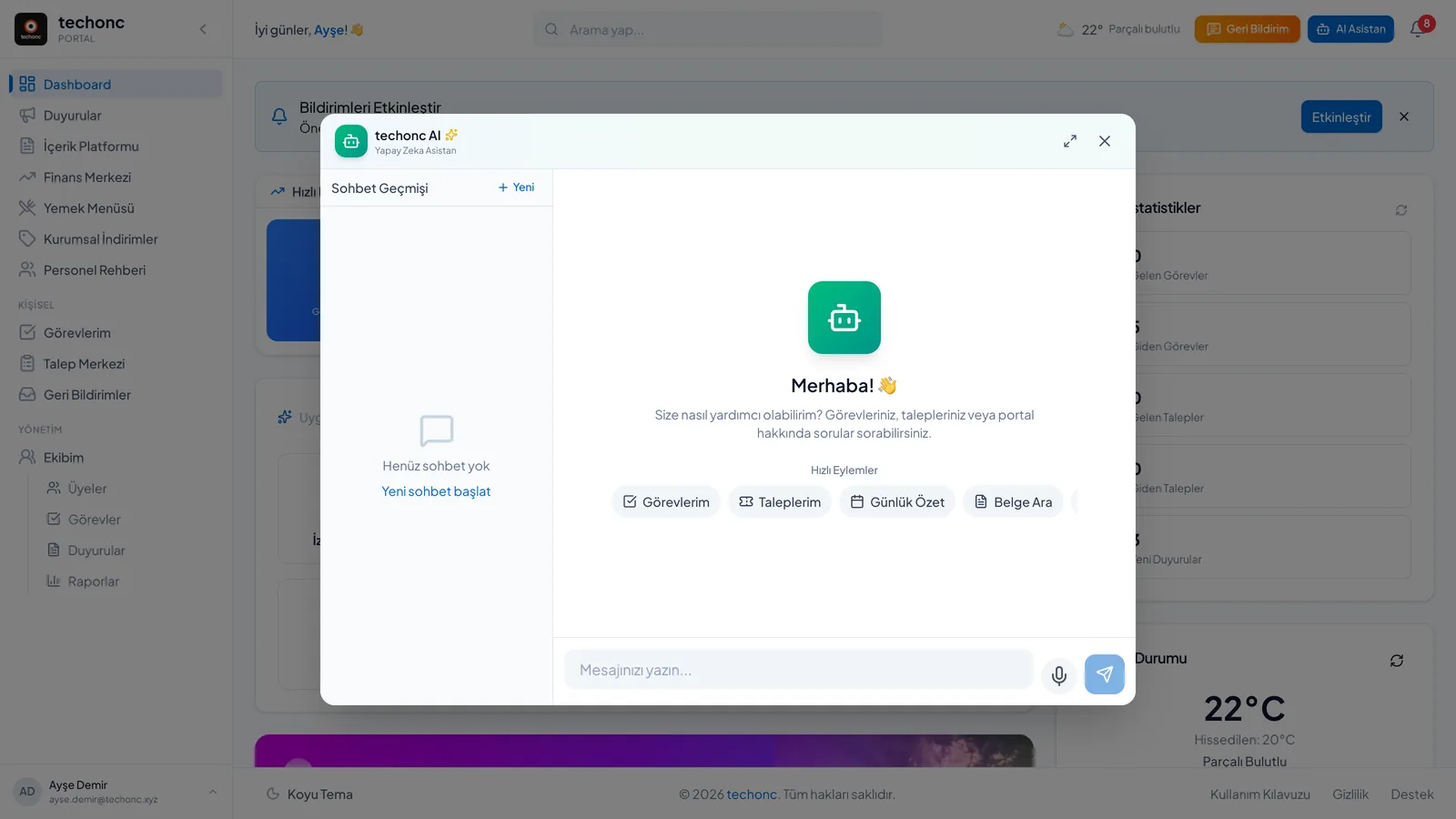
7-mode text chat + voice assistant — detailed in the section below.
■ Staff Directory
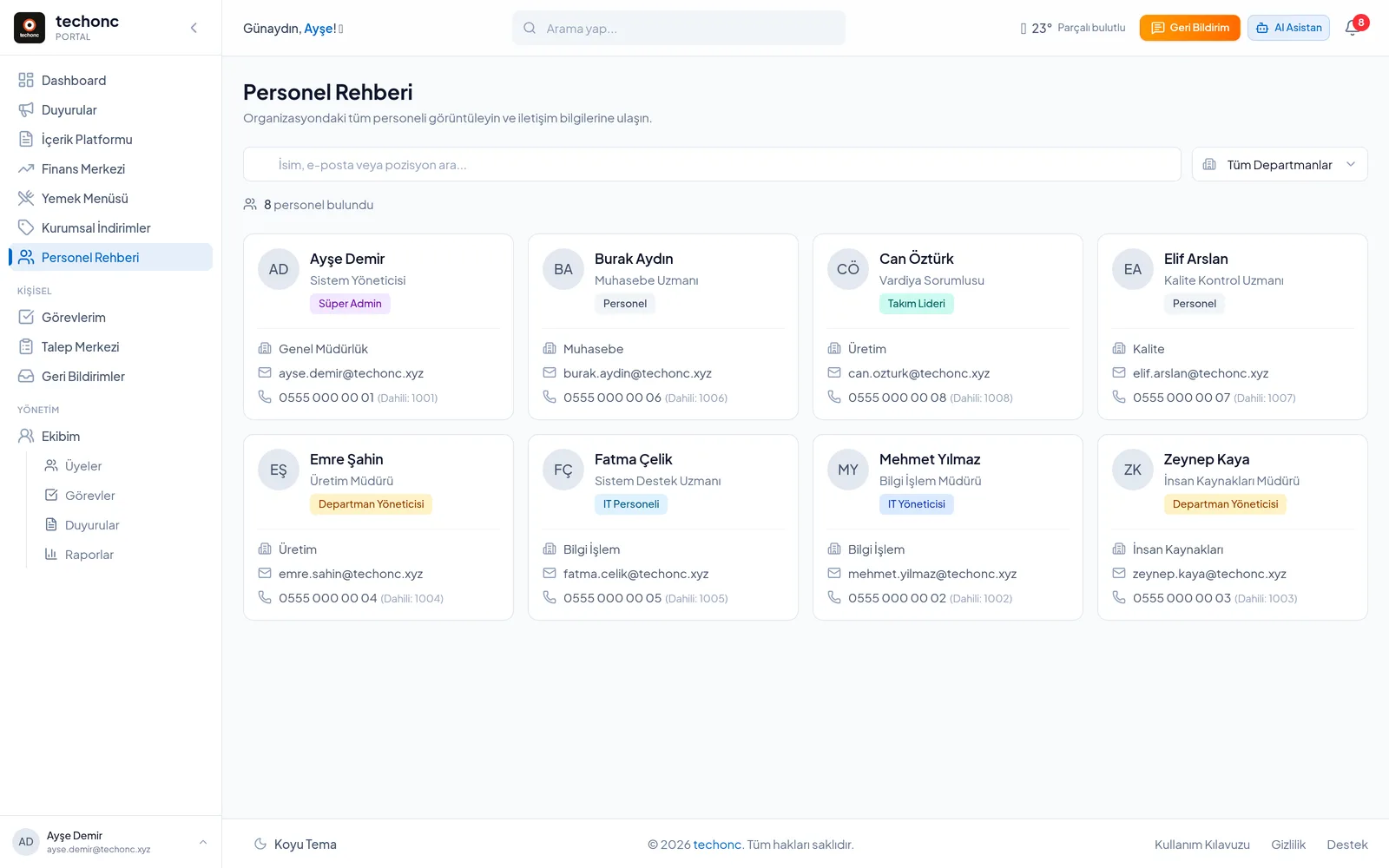
Instantly searchable directory by department and role.
■ My Team
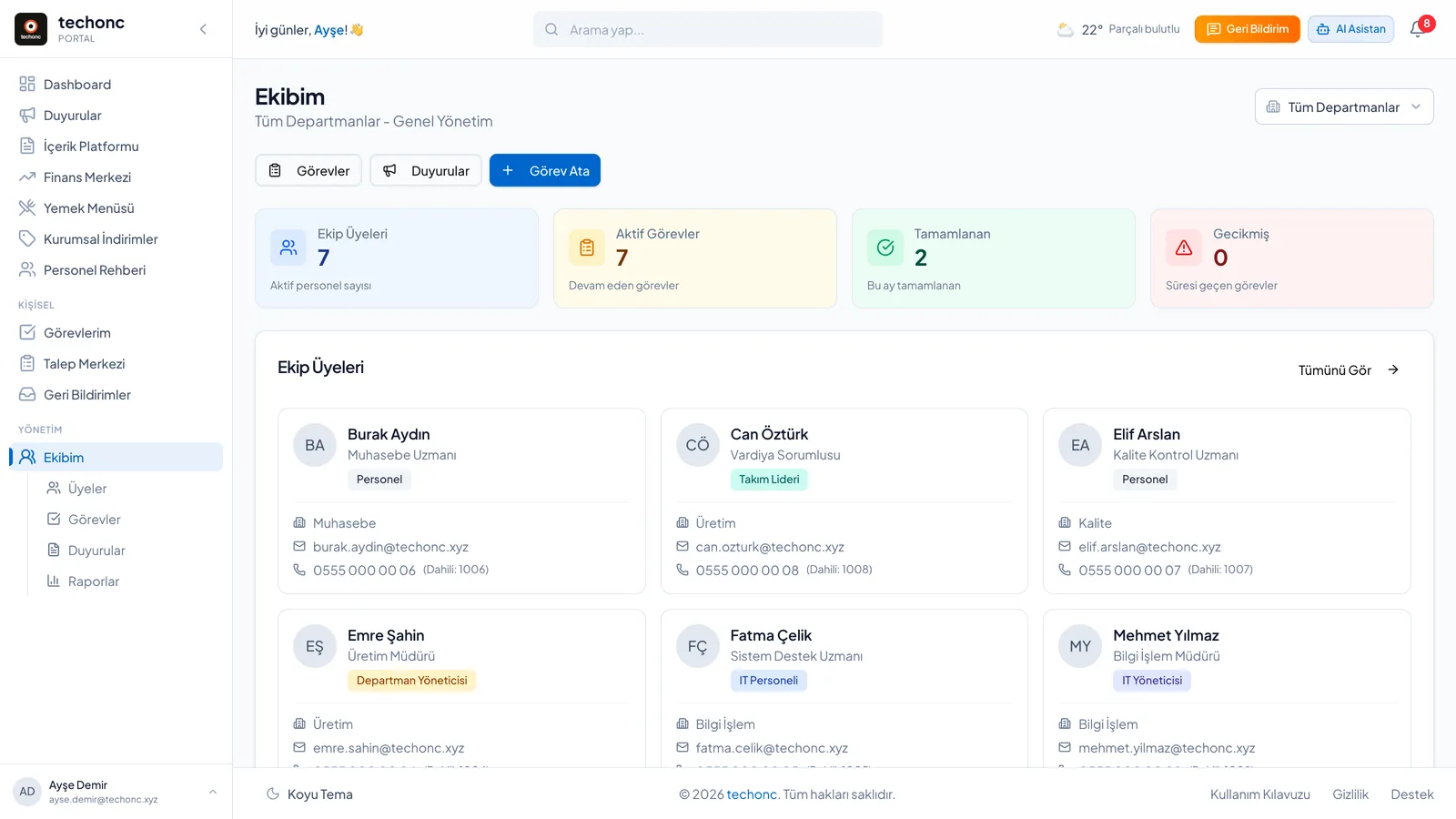
Team tasks, team announcements and performance reports for managers.
■ Notifications
In-app notification center + web push, with granular per-user preferences.
■ Meal Menu
Weekly cafeteria menu, auto-synced from the Signage product.
■ Finance Hub
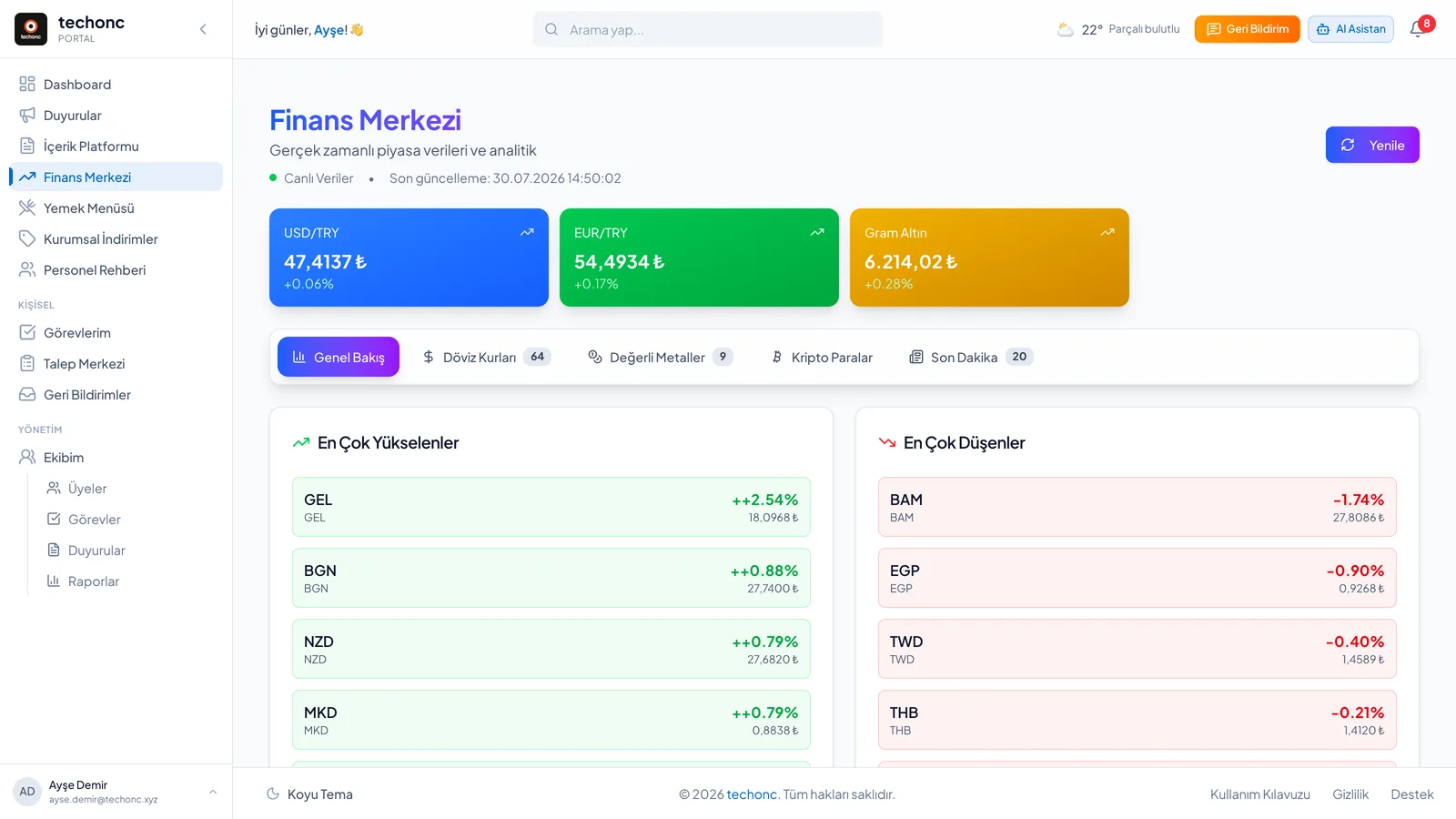
60+ currency rates, gold, crypto and precious metals + finance news.
■ Corporate Discounts
Partner-company campaigns for staff.
■ Events
Event calendar and management.
■ Global Search
Portal-wide content search.
■ PDF Tools
Merge, split, delete and rotate pages — entirely in the browser; files never leave the device.
■ User Guide
A built-in 23-page guide with a dedicated page per module, FAQ included.
■ Profile
User profile, avatar and notification preferences.
■ Admin Panel
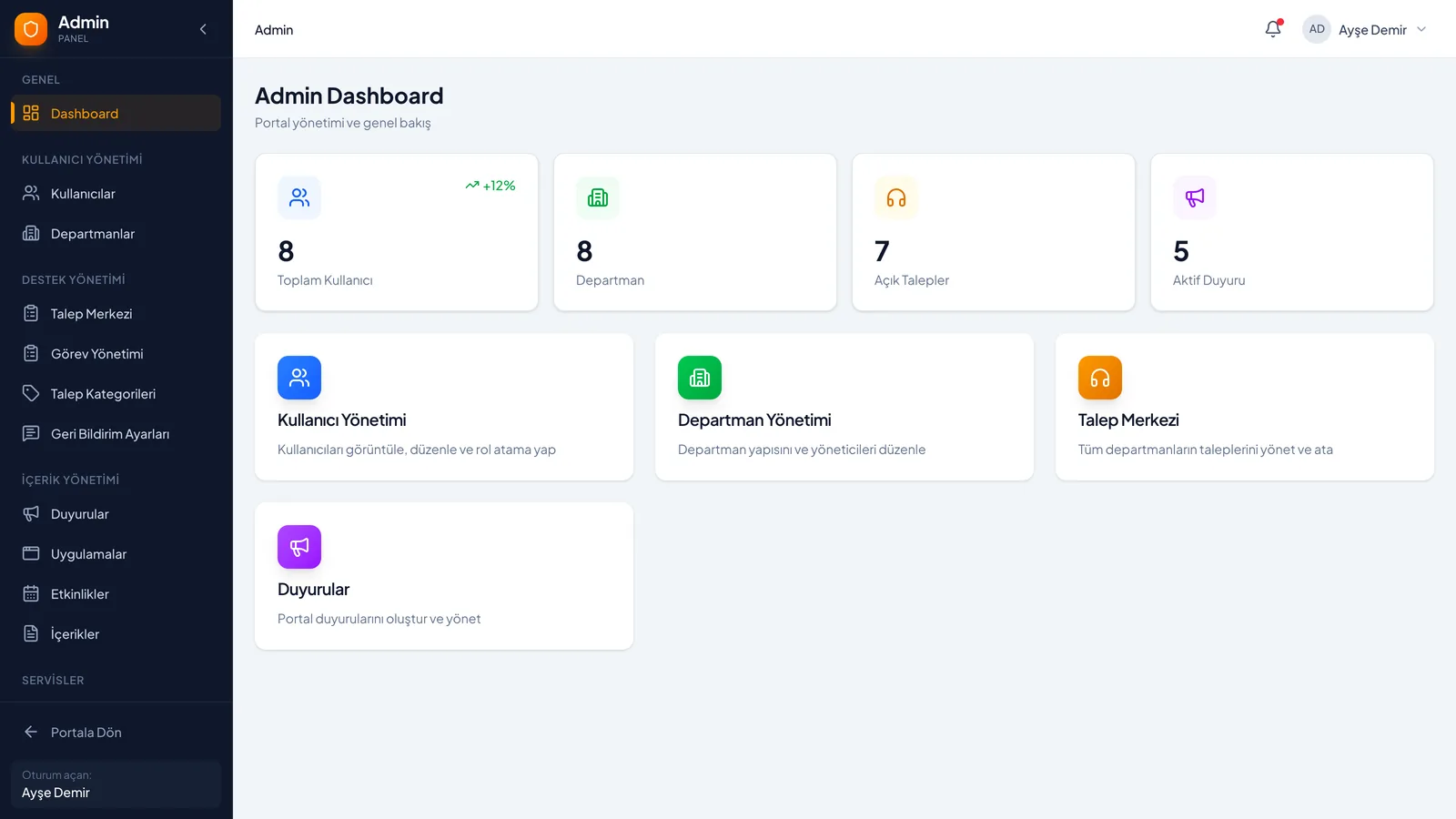
12 admin pages: users, departments, content, menus, discounts and system settings.
■ Sign-in System
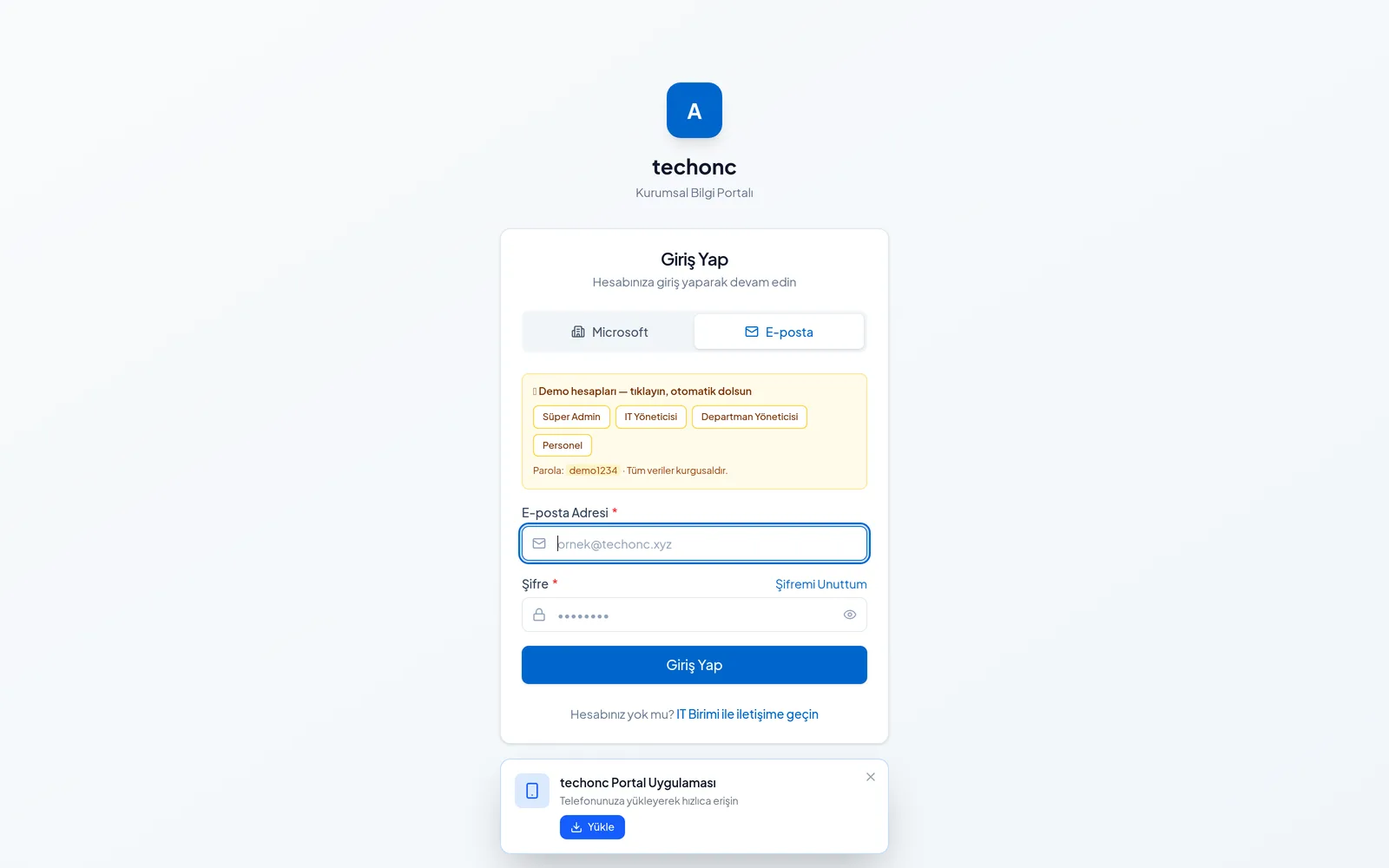
Three-channel authentication: corporate directory (LDAP/AD), Microsoft 365 SSO and email/password.
ARTIFICIAL INTELLIGENCE
Where AI comes in
7-mode text assistant
General, tasks, requests, document search, daily digest, web research and usage help modes; each runs with its own instruction set fed by the user's role and department, streaming its answers. Daily and per-minute limits prevent abuse.
Intent detection + hybrid RAG
Structured questions like 'my open tasks' or 'my weekly report' (15+ query types) are routed to direct database queries via intent detection; free-form document questions are answered through vector search. A deliberate architectural split for speed and accuracy.
Voice assistant (realtime voice API)
Query tasks and requests, get daily/weekly reports, today's menu or staff lookups by speaking Turkish — and open a new support request by voice. An 18-function tool set; the API key never reaches the client, sessions use 60-second ephemeral tokens.
Semantic search infrastructure
Documents are chunked along sentence boundaries into 1536-dimension vectors; similarity search runs inside PostgreSQL (pgvector) with access control embedded in the query itself — the assistant can never reach data the user can't see.
Similar-request suggestions
While a user types a new request, past requests are searched semantically and a 'you filed something similar before' hint appears — deduplicating tickets at the source.
Self-updating vector index
Database triggers kick off embedding generation whenever a task or request is created or edited; the search index follows content changes automatically.
Corporate document store (RAG)
Policies, procedures and guides are indexed with access-level labels (public / department / role); the assistant answers only from documents the user is allowed to read.
Screenshots
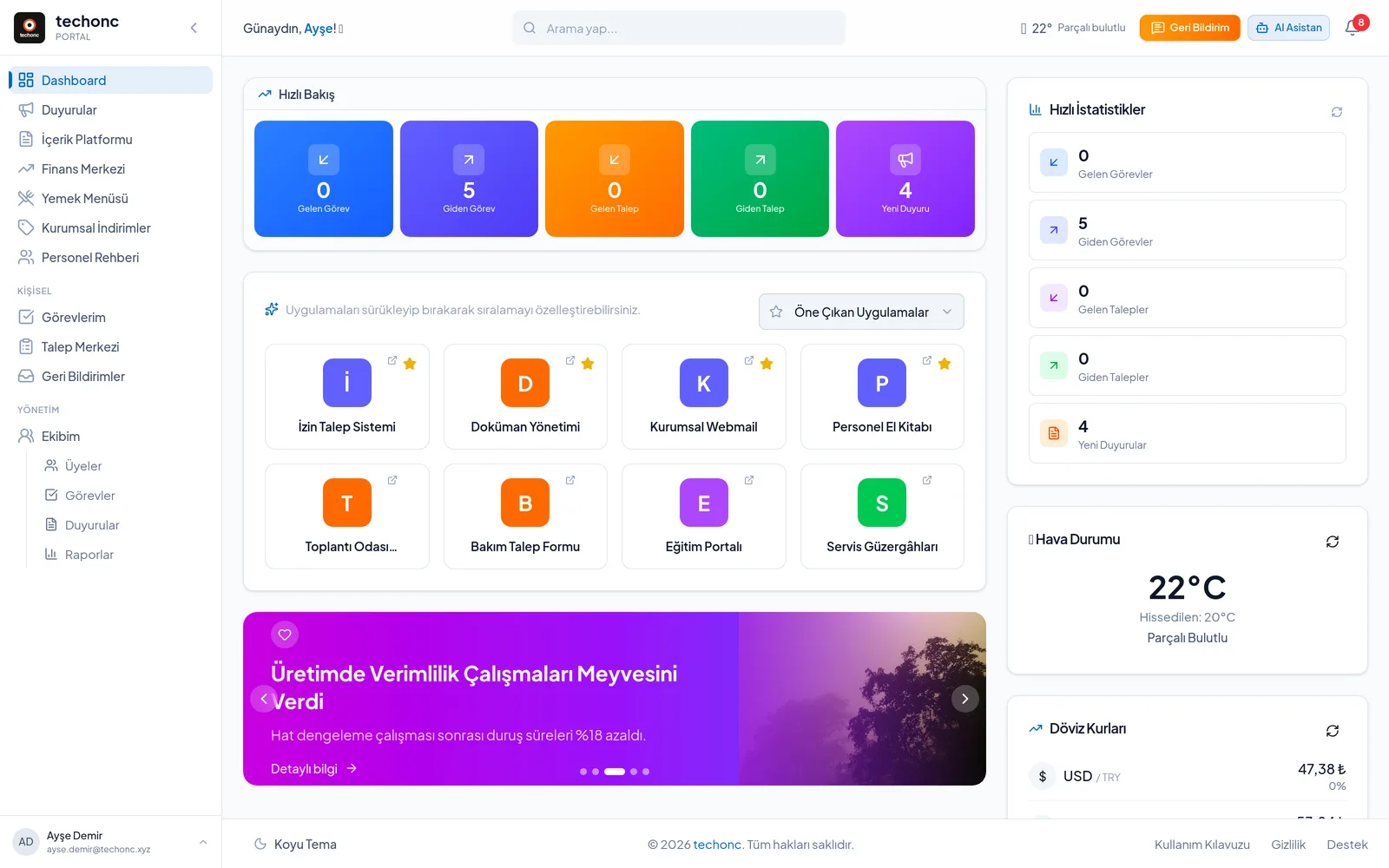
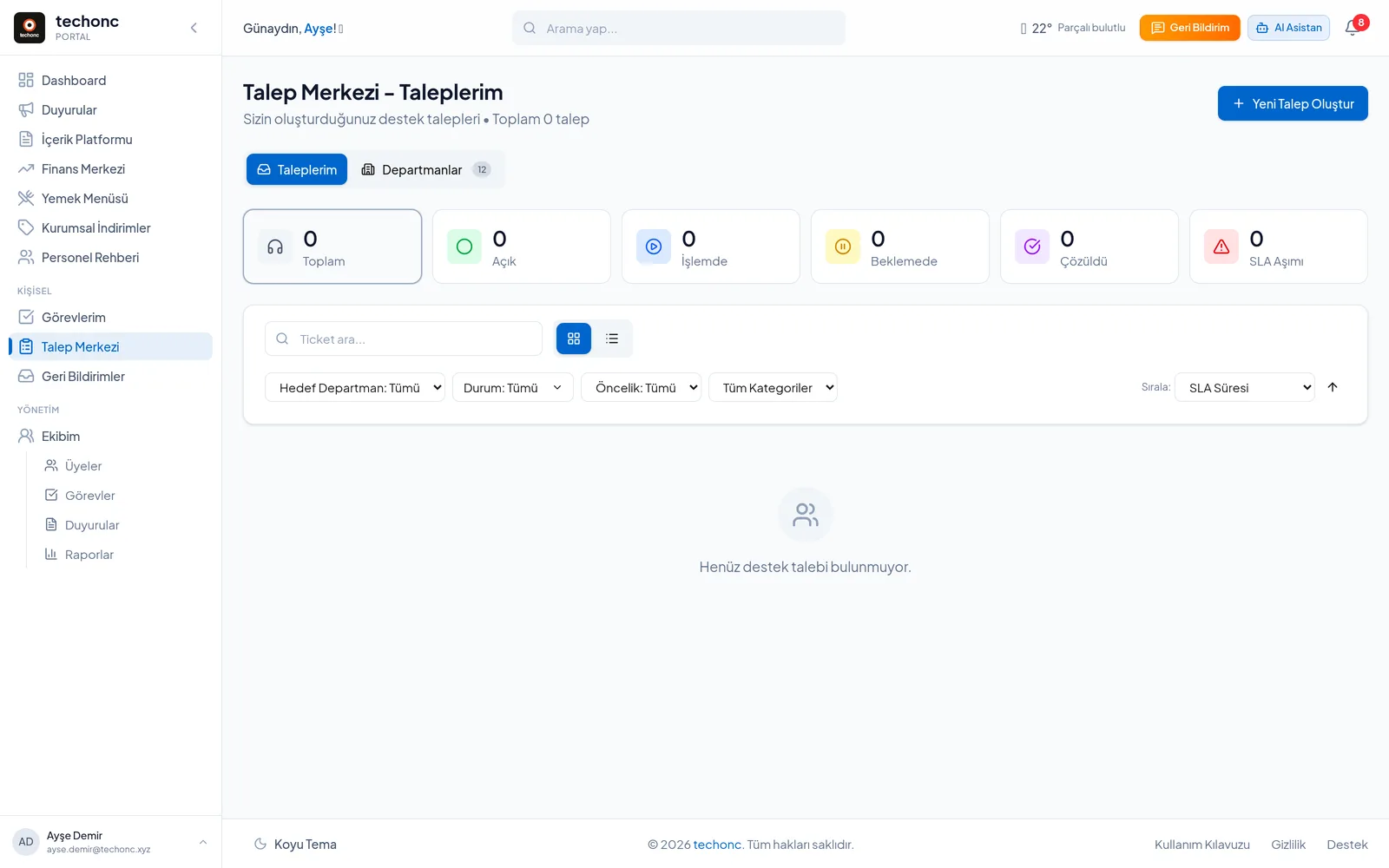
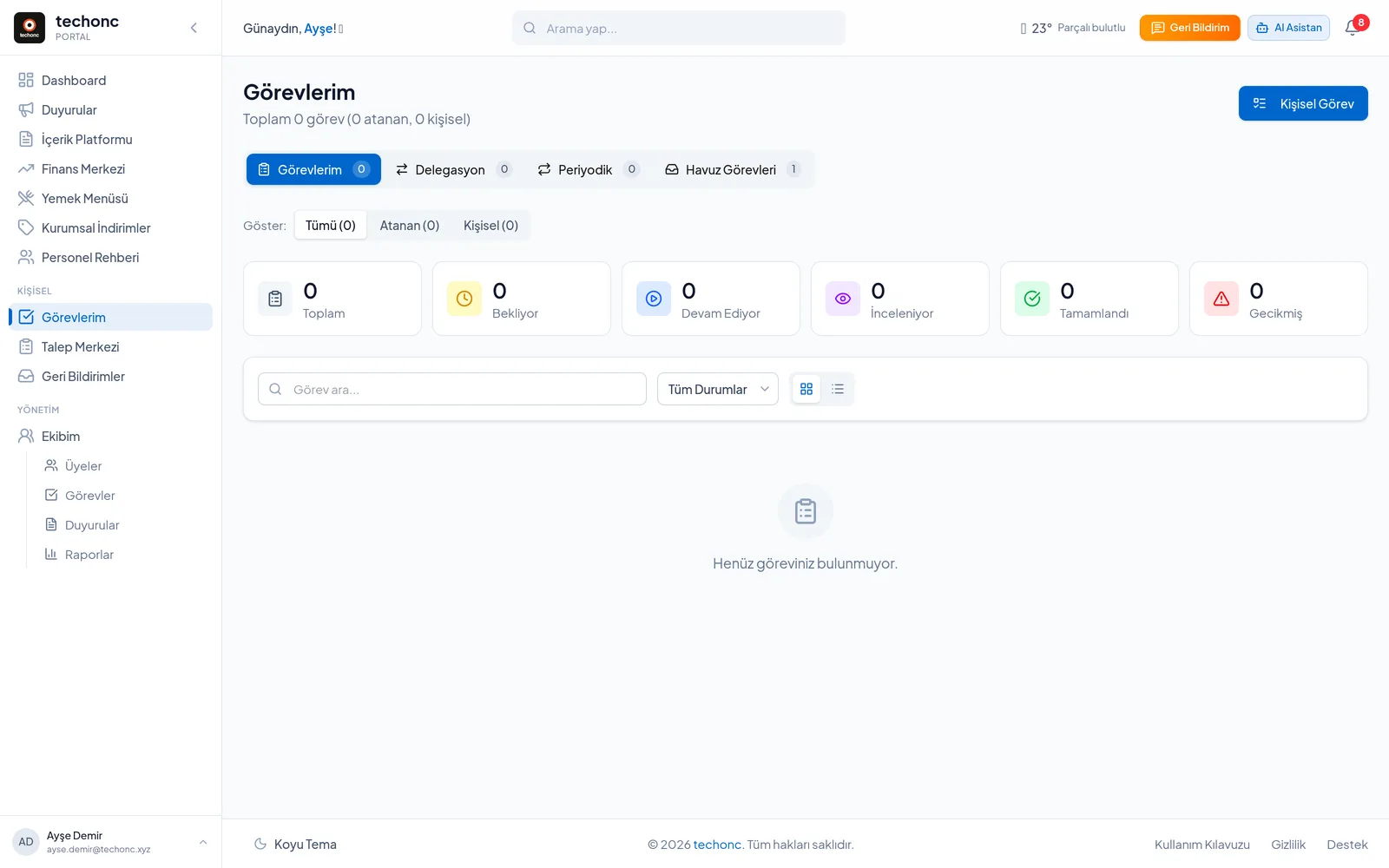
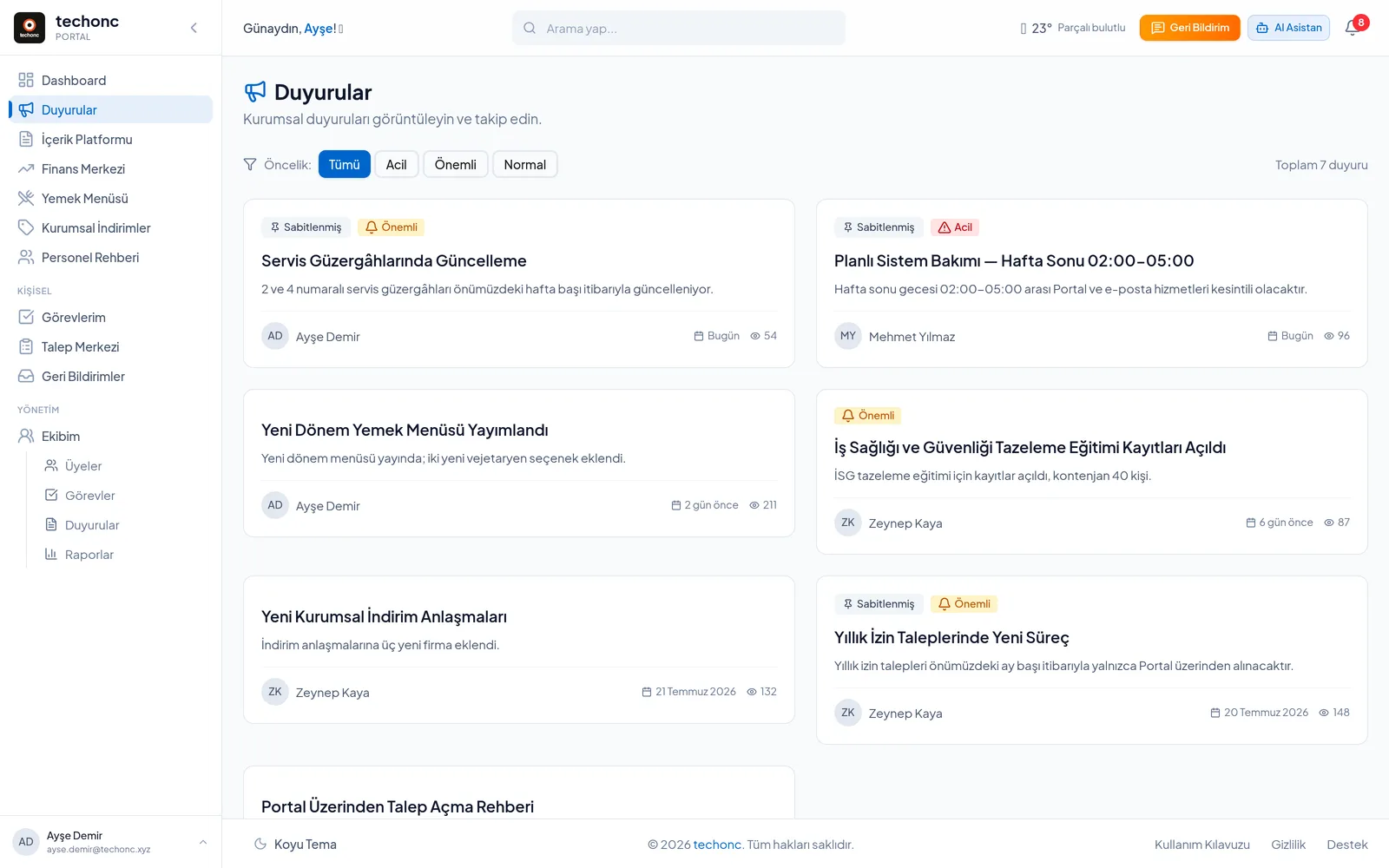
Key capabilities
PWA with QR onboarding
A QR code on the office wall opens an install page with device-specific (Android/iOS) guidance; push notifications reach users even with the browser closed.
Cross-product live sync
The meal menu uploaded to the Signage product via Excel flows into the portal automatically through a fault-tolerant one-way database trigger.
Requests by voice
The voice assistant doesn't just answer questions — it can create a new support ticket from a conversation.
Privacy-first PDF tools
PDF merge/split/rotate runs entirely in the browser; files are never uploaded.
Built-in user guide
A 23-page in-app guide with a dedicated page per module, plus FAQ.
A role-shaped experience
Everything from the menu to notifications adapts to role and department; everyone sees only what serves their work.
In development
Warehouse & Inventory
A module bringing warehouse and inventory tracking into the portal.
Purchasing
End-to-end management of purchase requests and approval flows.
Time & Attendance
Personnel attendance control — clock-in/out and attendance tracking integration.
DISABLED IN THE DEMO
In the demo the AI assistant, voice assistant, corporate directory sign-in and push notifications are switched off; they require external service keys, so they are disabled in the demo environment and run in production.
ADAPTATION
How it changes in another organisation
None of the 20 modules here are mandatory. Some are switched on according to what the organisation needs and missing ones are added — the inventory, procurement and time-attendance modules are being built in exactly this way right now. Authentication connects to the existing directory server or corporate accounts; user management doesn't have to be set up from scratch.
TECHNICAL DEEP DIVE
STACK
ENGINEERING NOTES
Access control inside the vector search
Semantic search functions re-apply access levels (public/department/role) and user isolation inside the SQL function body — the AI layer can never reach data the user couldn't see.
Schema-evolution discipline
The schema evolves through versioned, traceable (append-only) migrations; row-level security, SLA computation, the recurring-task engine and notification triggers are solved at the database layer. Every change is validated by automatic type generation at pre-commit.
Three-layer test setup
RLS tests running against a real database, integration tests and page-object-pattern end-to-end Playwright scenarios; MSW mocking and a pre-commit quality chain.
Ephemeral-token Realtime architecture
In the voice assistant the API key lives only on the server; clients connect over WebSocket with 60-second ephemeral tokens and self-heal with exponential backoff. Function calls are authorised server-side.
Role-aware dynamic navigation
The menu filters by role + department code; the same item can carry different titles per role. A dev-mode role simulator lets every role's UI be tested.
Modern stack
Next.js 16 App Router (route groups), TanStack Query, Zustand, Zod, Tailwind 4, Radix UI; documented runtime decisions for AI response streaming on Next 16.